Many US businesses do not want one system to replace every application they already use. They may rely on QuickBooks for accounting, Shopify or Amazon for commerce, Stripe for payments, ADP or Paychex for payroll, Salesforce for CRM, and specialist platforms for shipping, tax or EDI.
In that environment, the ERP must become the operational center without breaking the systems that already work.
The real integration question is not simply, “Can Odoo connect to this platform?” It is:
- Which system owns each record?
- Which direction should data move?
- How quickly must it synchronize?
- How are fees, refunds, taxes and exceptions reconciled?
- What happens when an API is unavailable?
- How can users identify and retry a failed transaction safely?
This guide presents SmartDesk’s practical priorities for US-focused Odoo integration projects. The ranking reflects commercial relevance and implementation value—not a claim that every US company has the same requirements.
Odoo integration priorities at a glance
| Priority | Integration | Typical use case | |---|---|---| | Highest | QuickBooks Online ↔ Odoo | SMB accounting, distribution and staged ERP migration | | Highest | Shopify ↔ Odoo | E-commerce orders, inventory, fulfillment and returns | | Highest | Amazon Seller Central ↔ Odoo | Marketplace orders, FBA stock, fees and settlements | | Highest | EDI ↔ Odoo | Wholesale, manufacturing and retail trading partners | | Highest | ADP or Paychex ↔ Odoo | Payroll, employee and accounting-journal workflows | | High | Stripe ↔ Odoo | Payments, subscriptions, fees, payouts and reconciliation | | High | Avalara ↔ Odoo | Multi-jurisdiction US sales-tax calculation | | High | Salesforce ↔ Odoo | CRM-to-order, delivery and invoicing workflows | | High | UPS, FedEx, USPS or shipping platforms ↔ Odoo | Rates, labels, tracking and returns | | High | WooCommerce or BigCommerce ↔ Odoo | Alternative e-commerce channels | | Useful | HubSpot ↔ Odoo | Marketing and CRM handoff | | Useful | Microsoft 365 ↔ Odoo | Email, calendar and business collaboration | | Useful | Power BI ↔ Odoo | Management reporting and analytics | | Useful | Plaid or bank feeds ↔ Odoo | Banking and reconciliation workflows |
1. QuickBooks Online and Odoo
QuickBooks is deeply established among US small and medium-sized businesses. A company adopting Odoo may not be ready to replace its accounting workflow immediately.
That creates two common integration strategies:
Keep QuickBooks as the accounting system
Odoo manages CRM, sales, purchasing, inventory, projects or operations while approved accounting transactions move to QuickBooks.
Migrate from QuickBooks to Odoo in phases
The integration supports a controlled transition while opening balances, master data and historical records are validated.
A serious connector may cover:
- Customers and vendors
- Products and services
- Invoices and vendor bills
- Payments and credit notes
- Taxes and chart-of-account mapping
- Journal entries
- Bank transactions
- Reconciliation status
The difficult part is not creating an invoice in another system. The difficult part is defining record ownership, account and tax mapping, update rules, duplicate prevention, period locks and reconciliation.
Commercial message: Keep QuickBooks for accounting while Odoo runs operations—or migrate to Odoo through a controlled, reconcilable process.
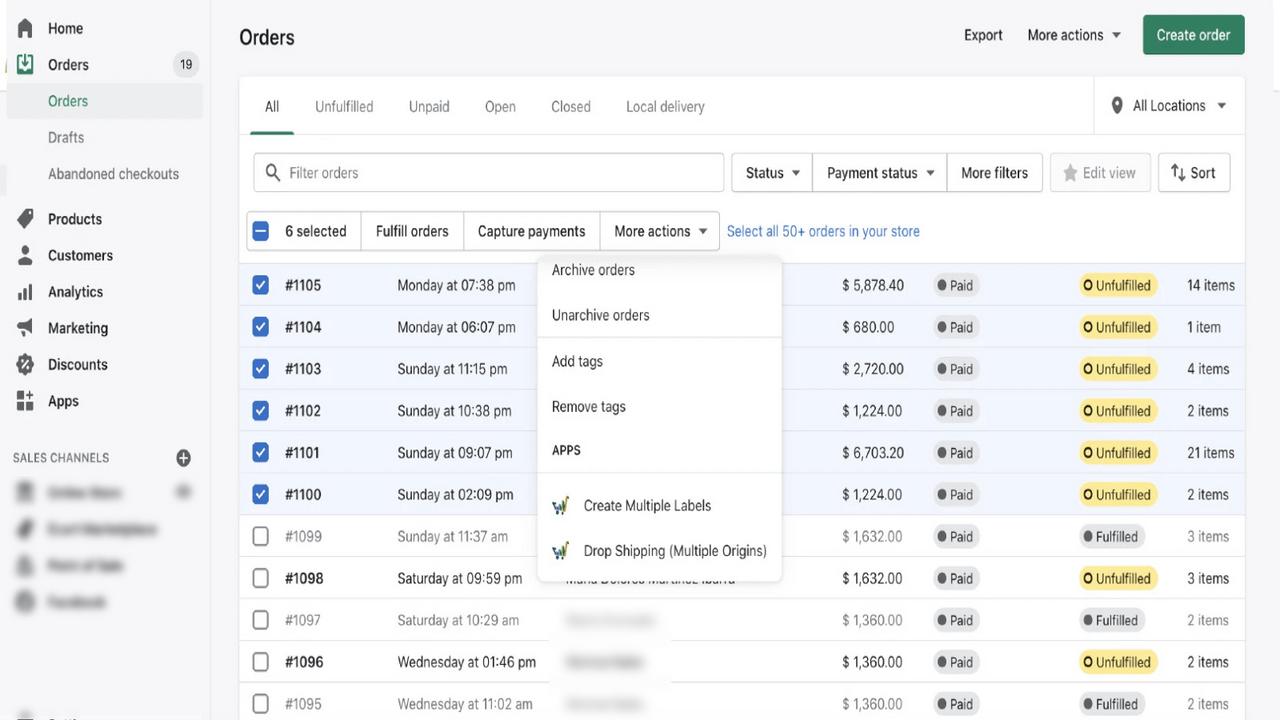
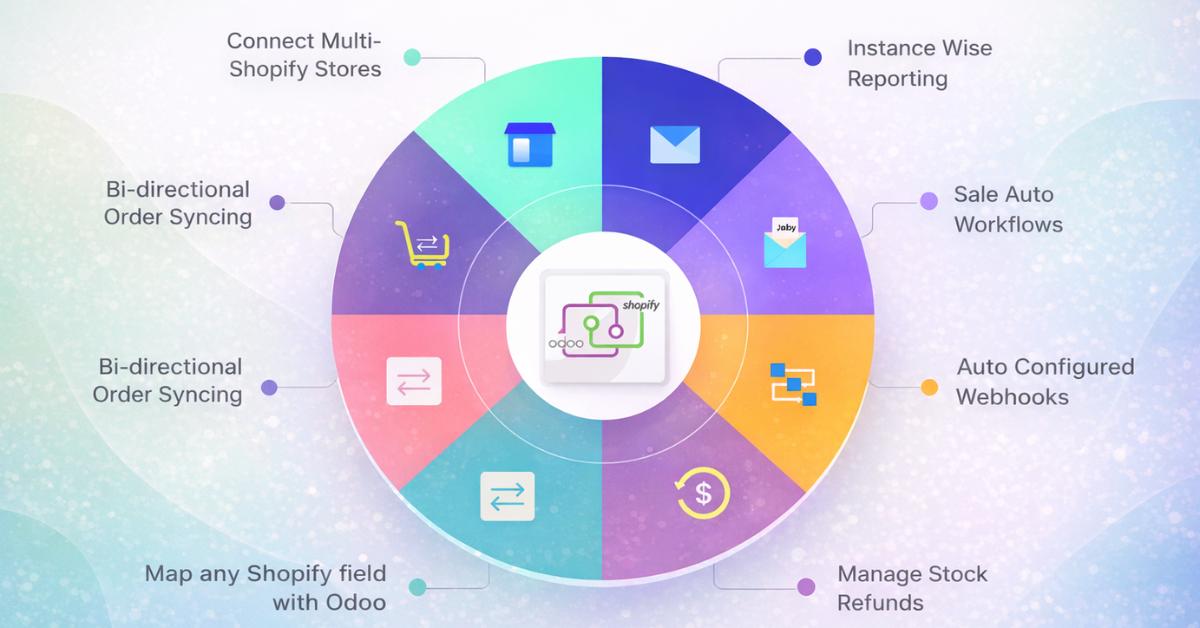
2. Shopify and Odoo
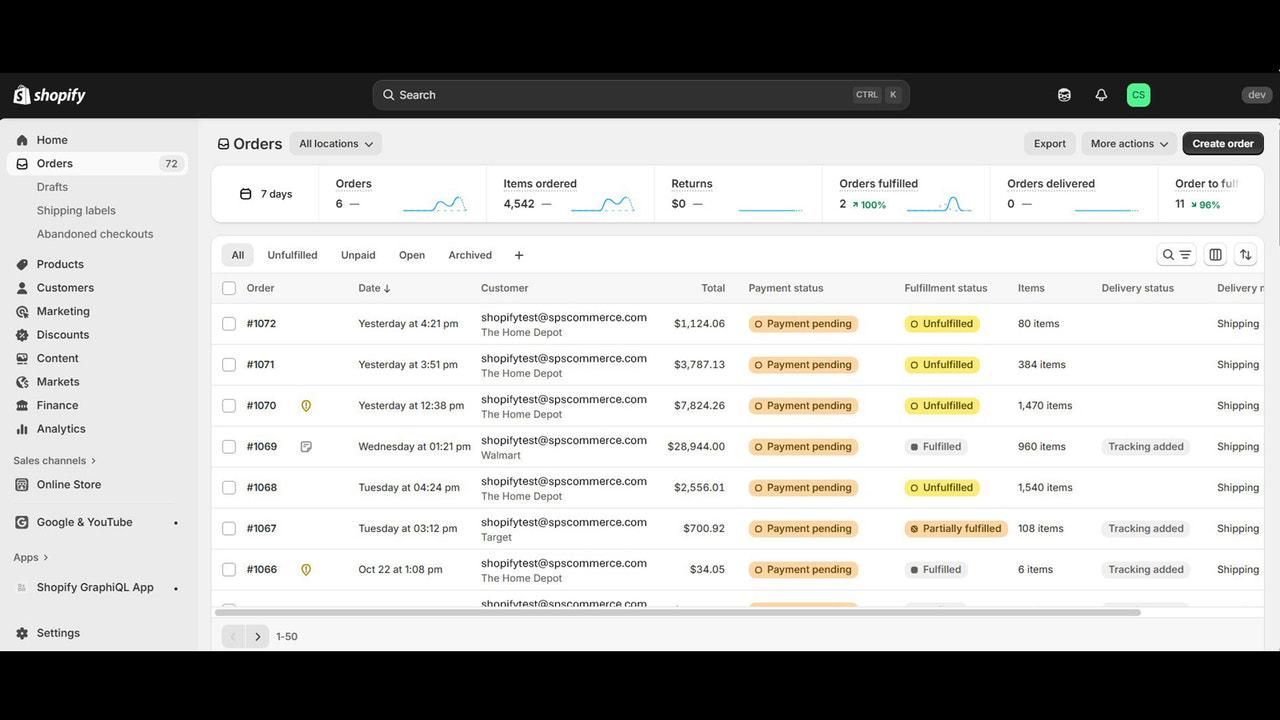
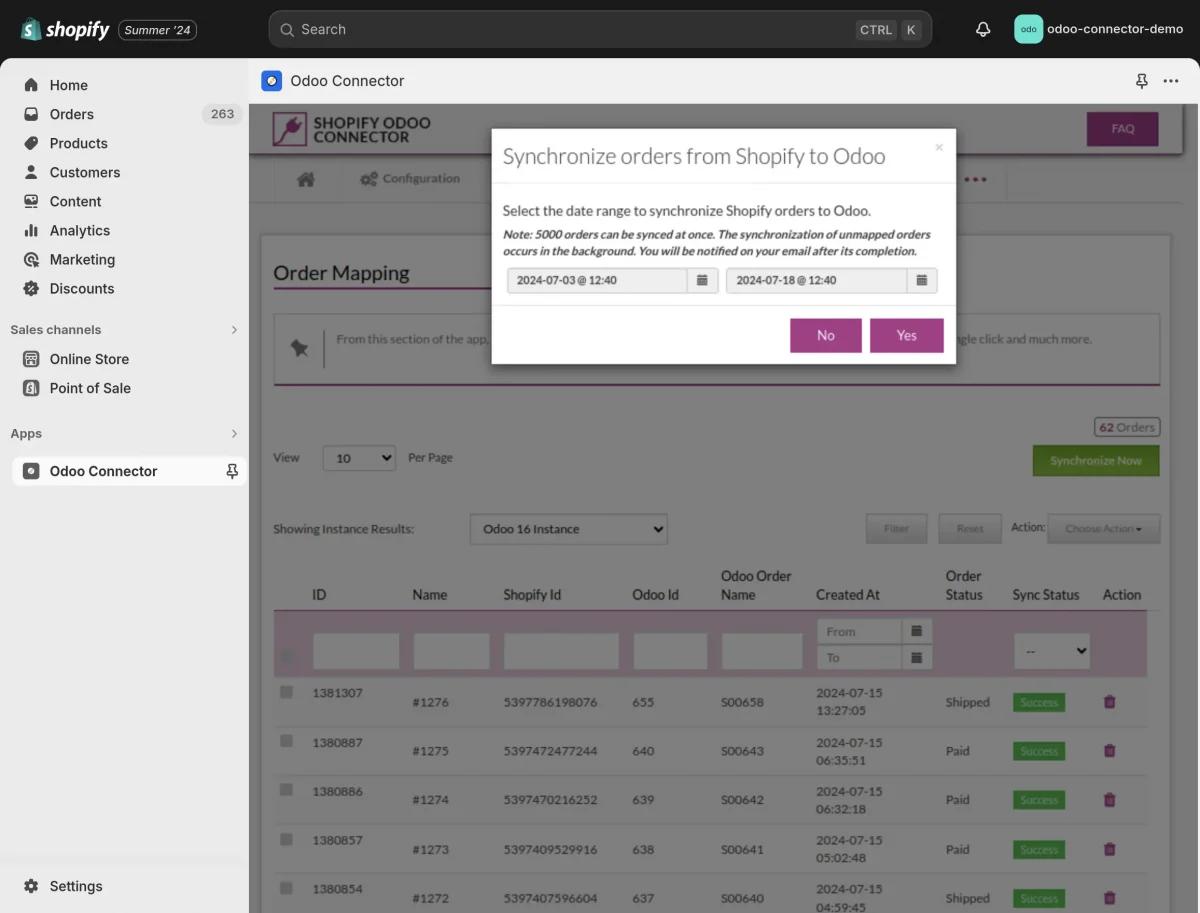
Shopify is one of the strongest Odoo integration opportunities for US e-commerce and retail businesses. Shopify’s APIs support order, product, inventory and fulfillment workflows, including fulfillment events and tracking.
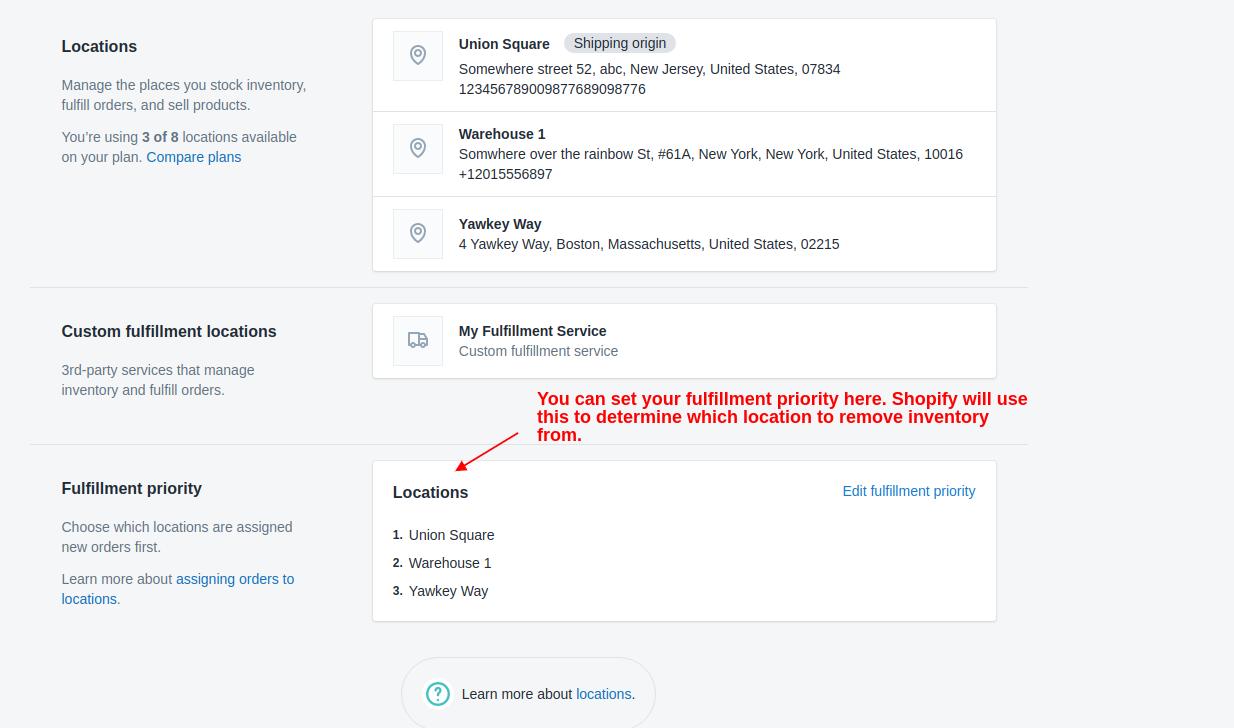
A production connector should go beyond importing orders. It should consider:
- Products and variants
- SKUs and barcodes
- Customers and addresses
- Orders and line items
- Discounts, taxes and shipping charges
- Payments and refunds
- Multiple warehouses and Shopify locations
- Inventory availability
- Fulfillment and tracking
- Returns and cancellations
Decisions that must be made
- Does Shopify or Odoo own product descriptions and pricing?
- Which Odoo warehouse maps to each Shopify location?
- Is inventory pushed immediately or in scheduled batches?
- How are bundles, gift cards and partial refunds represented?
- When is an Odoo sales order confirmed?
- Which system sends customer shipping notifications?
Webhooks help make the workflow responsive, but they do not remove the need for scheduled reconciliation. Events can arrive more than once, out of sequence or after temporary failures.
3. Amazon Seller Central and Odoo
Amazon’s Selling Partner API supports workflows around listings, prices, orders, shipping, FBA inventory and financial events. This makes Amazon integration valuable—but also more complex than a basic marketplace order import.
A strong Amazon-to-Odoo scope may include:
- Listing and SKU mapping
- Merchant-fulfilled and FBA orders
- Inventory availability
- FBA inbound shipments
- Refunds and returns
- Marketplace fees
- Financial events
- Settlements and payouts
- Multi-marketplace reporting
The commercial value is often in finance and settlement reconciliation. Importing an order without correctly representing Amazon fees, refunds and payouts leaves the accounting team with manual work.
Key principle: Treat Amazon settlement reconciliation as a core requirement, not an optional phase after order synchronization.
4. EDI and Odoo
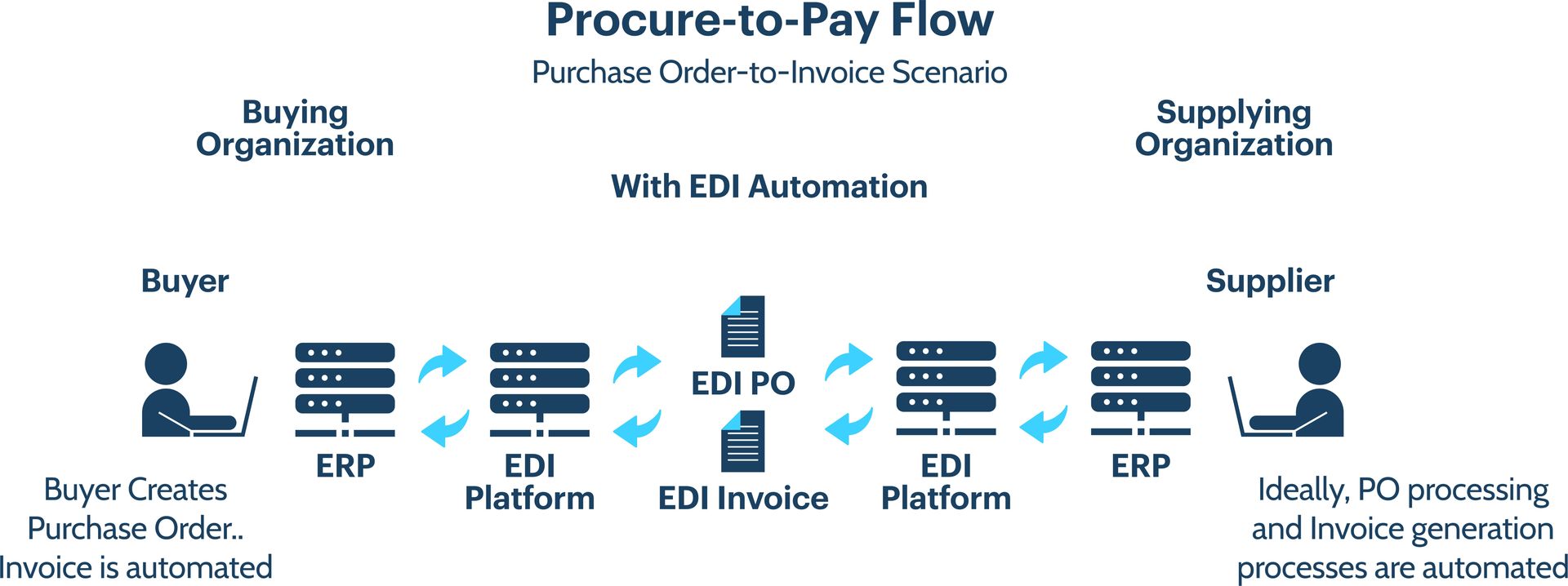
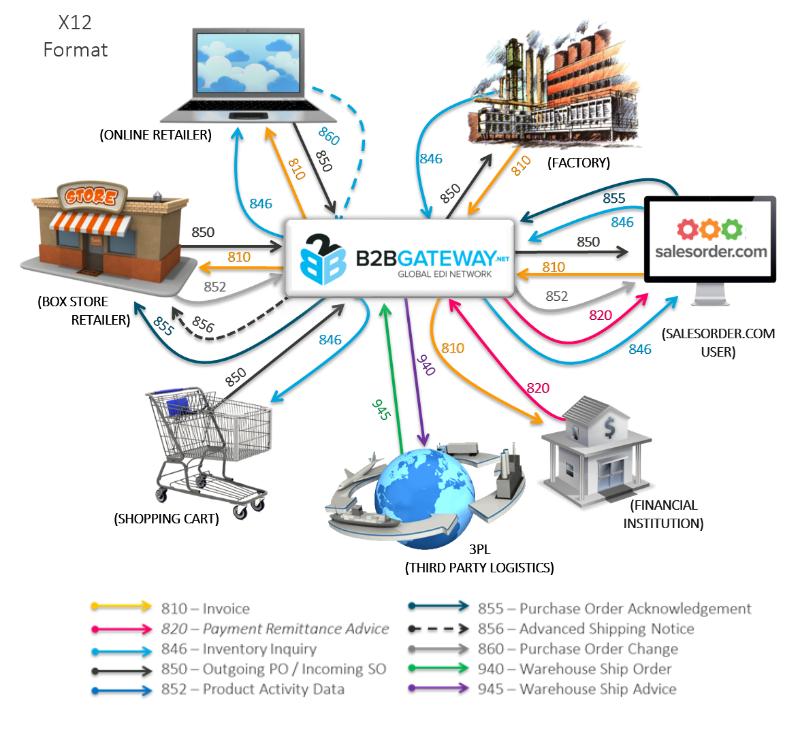
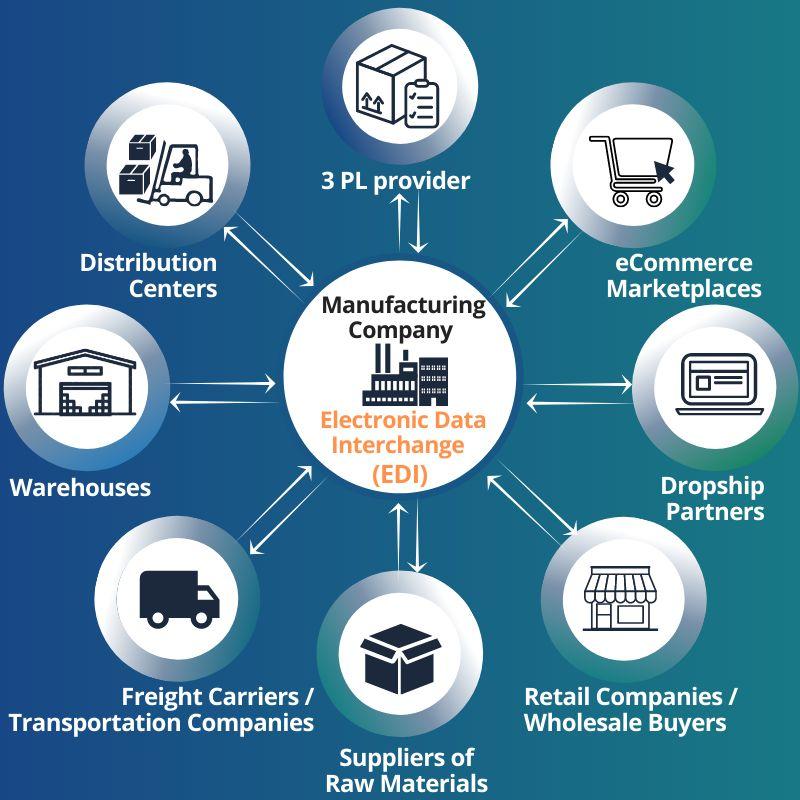
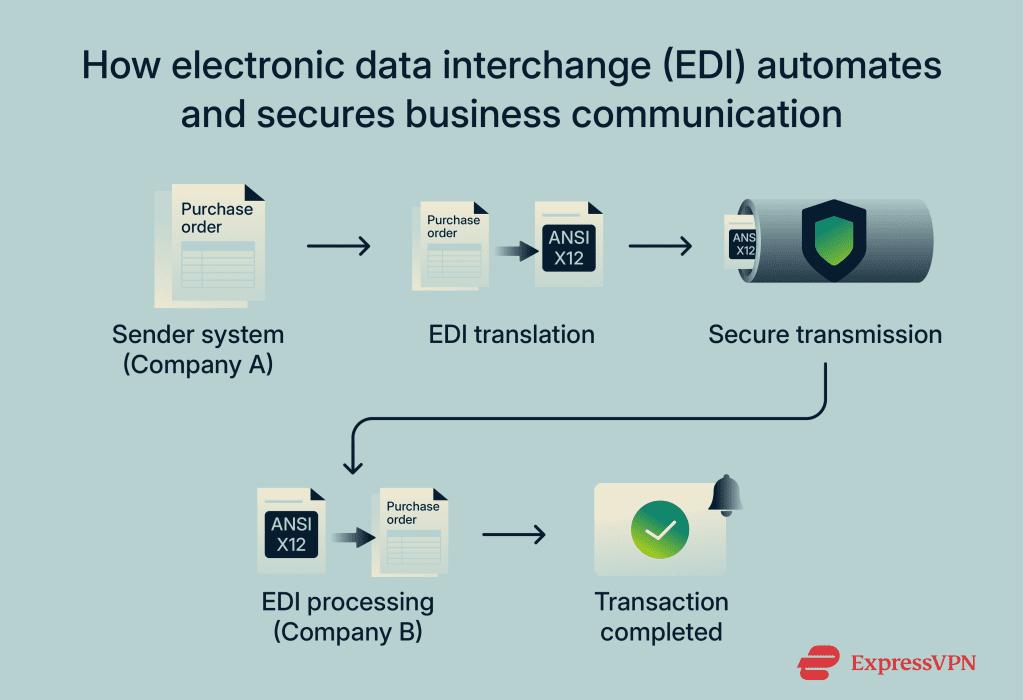
EDI is a high-value niche for US manufacturers, wholesalers and distributors that exchange structured documents with retailers, suppliers, 3PLs or other trading partners.
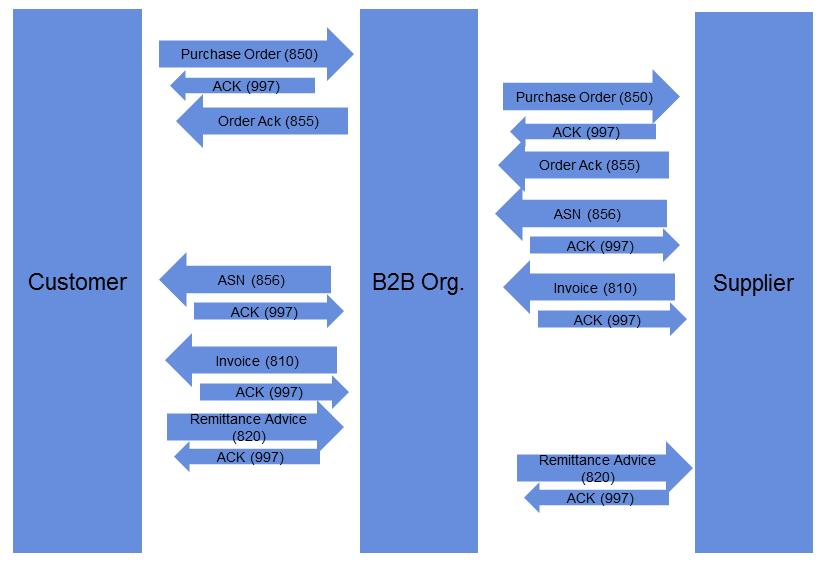
A common order flow is:
Customer
  ↓
EDI 850 Purchase Order
  ↓
EDI Provider / Network
  ↓
Odoo Sales Order
  ↓
Warehouse and Delivery
  ↓
EDI 856 Advance Ship Notice
  ↓
EDI 810 Invoice
Common transaction sets include:
- 850 — Purchase Order
- 855 — Purchase Order Acknowledgment
- 856 — Advance Ship Notice
- 810 — Invoice
- 846 — Inventory Inquiry/Advice
- 820 — Payment Order or Remittance Advice
EDI work is rarely just “convert XML to an Odoo order.” Each trading partner may have implementation guides, required qualifiers, code lists, packaging structures and validation rules.
The integration should provide:
- Partner-specific mappings
- Document validation
- Acknowledgment handling
- Duplicate detection
- Error queues
- Reprocessing controls
- Audit history
- Document and business-record traceability
This is a strong SmartDesk service area because every project combines technical mapping with real purchasing, warehouse, invoicing and compliance workflows.
5. ADP or Paychex and Odoo
US companies commonly retain specialist payroll platforms even when Odoo manages employees, projects, attendance or accounting.
Depending on the provider, subscribed products, permissions and approved API access, a payroll integration may exchange:
- Employee and department data
- New hires and status changes
- Compensation-related inputs
- Time or attendance summaries
- Deductions and benefits data
- Payroll result summaries
- Employer taxes
- Accounting journal entries
Payroll data is sensitive. The design must use least-privilege access, encryption, controlled logs, appropriate retention and clear ownership of employee changes.
Never promise a standard payroll connector before confirming the customer’s exact ADP or Paychex product, API entitlement and security review requirements.
6. Stripe and Odoo
Stripe integration is valuable for SaaS, agencies, subscriptions, online services and e-commerce.
A complete accounting workflow should consider:
- Payment authorization and capture
- Odoo invoice matching
- Refunds and disputes
- Stripe fees
- Subscriptions where applicable
- Payout status
- Balance transactions
- Bank-statement reconciliation
Stripe documents that a payout can be reconciled against its associated balance transactions. That is the important accounting layer: the bank receives a net payout, while Odoo must explain the gross payments, refunds, disputes and fees that produced it.
7. Avalara and Odoo

US sales tax can involve different states, local jurisdictions, product taxability and nexus rules. An Avalara integration can send transaction details for tax calculation and return the calculated result to the Odoo quotation, sales order or invoice workflow.
A project may include:
- Address validation
- Product tax-code mapping
- Customer exemption handling
- Quote and order calculation
- Invoice commit or posting
- Refund and credit treatment
- Error handling and audit evidence
Tax configuration is not only a development task. The customer’s qualified tax advisers must approve tax policy, nexus, exemptions and reporting responsibilities.
8. Salesforce and Odoo
For mid-market companies, Salesforce may remain the CRM while Odoo manages quotation execution, orders, inventory, delivery, invoicing or accounting.
A typical flow is:
Salesforce lead and opportunity
  ↓
Approved customer and commercial data
  ↓
Odoo quotation and sales order
  ↓
Delivery and invoice
  ↓
Status returned to Salesforce
The critical design questions concern ownership: where are customers created, which system controls pricing, and which status changes can update the other platform?
9. Shipping and logistics integrations
US fulfillment projects may involve UPS, FedEx, USPS, DHL, ShipStation, Shippo, EasyPost or a 3PL platform.
Common capabilities include:
- Rate shopping
- Service selection
- Shipment creation
- Label generation
- Tracking numbers
- Delivery status
- Return labels
- Proof of delivery
- Shipment-cost reconciliation
The connector must also handle split shipments, multiple packages, address corrections, voided labels, dimensional weight and carrier errors.
Omnichannel: Shopify, Amazon and Odoo together
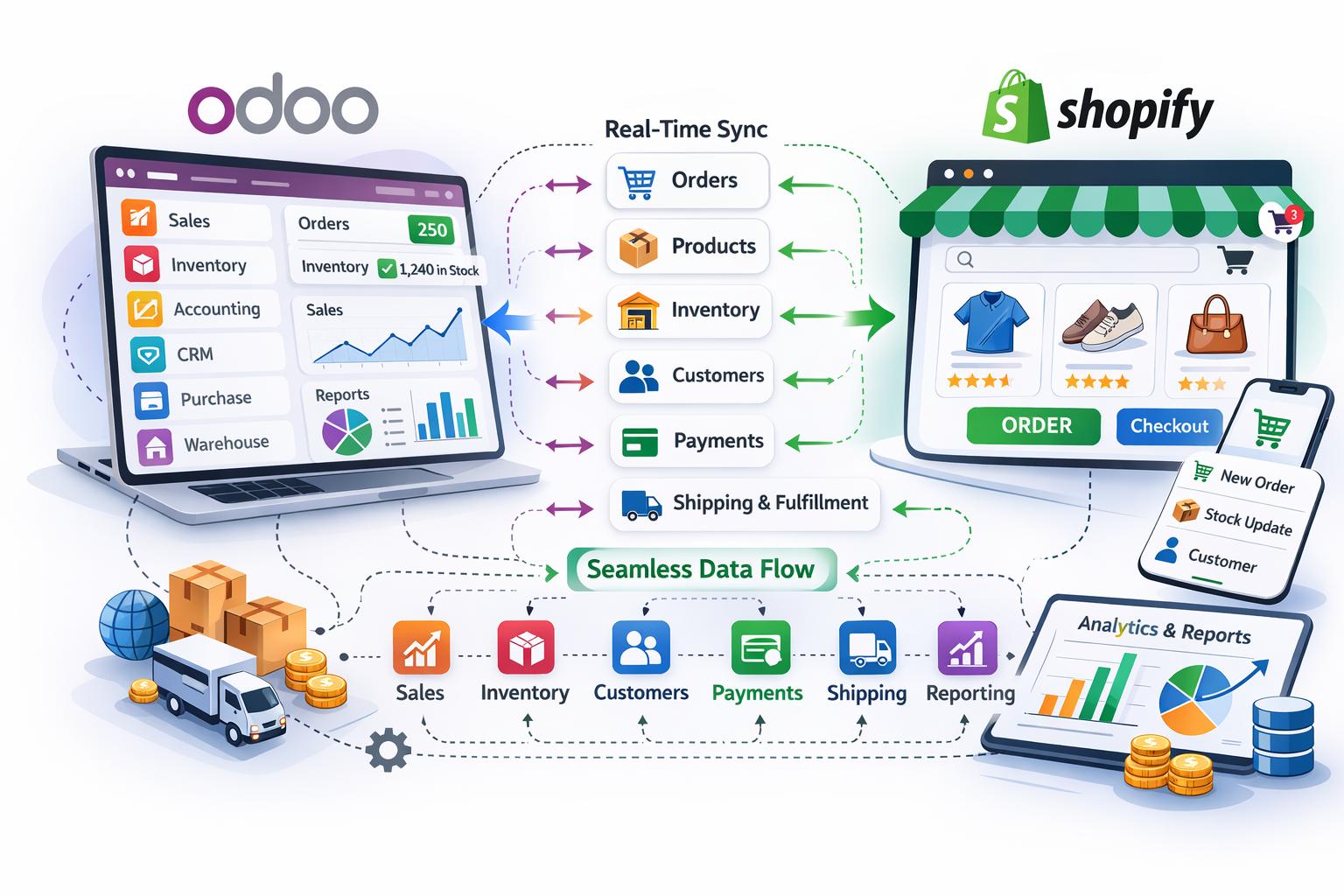
Many sellers operate Shopify and Amazon simultaneously. In that architecture, Odoo can become the central product, inventory, purchasing and accounting layer.
Shopify ─┐
         ├── Orders → Odoo → Inventory / Purchasing / Accounting
Amazon ──┘                 ↓
                    Fulfillment and tracking
The biggest risk is overselling. Inventory reservations, FBA stock, Odoo warehouses and Shopify locations must be mapped deliberately. A nightly total-stock update is rarely enough for a high-volume seller.
What a reliable Odoo connector should include
Regardless of platform, production integrations should normally include:
- OAuth or appropriate API authentication
- Encrypted secret storage
- Webhook validation
- Scheduled synchronization
- Queue-based processing
- Idempotency and duplicate prevention
- Configurable mapping
- Rate-limit handling
- Automatic retry with controlled backoff
- Manual retry for authorized users
- Error logs with business context
- Alerts for persistent failures
- Reconciliation reports
- Audit trail
- Sandbox or staging tests
The Odoo Integration Control Tower opportunity
Instead of treating each connector as an isolated background job, businesses benefit from a shared monitoring layer.
An Odoo Integration Control Tower can show:
- Transactions received and sent
- Successful, pending and failed records
- The platform and workflow involved
- Error category and message
- Retry history
- Mapping used
- Related Odoo document
- External reference
- Financial or quantity discrepancies
- Alerts requiring user action
This turns integration from hidden technical plumbing into an operational process that finance, operations and IT teams can monitor.
SmartDesk’s recommended first five US integration offers
If building a focused US portfolio, we would prioritize:
- Odoo ↔ Shopify for e-commerce and retail
- Odoo ↔ QuickBooks Online for SMB accounting and ERP migration
- Odoo ↔ Amazon Seller Central for marketplace and FBA sellers
- EDI ↔ Odoo for manufacturing, distribution and wholesale
- ADP or Paychex ↔ Odoo for companies retaining specialist payroll
These offers address different customer segments while sharing a common technical foundation: secure authentication, mapping, queues, retries, monitoring and reconciliation.
How to scope an integration before development
Before estimating a connector, collect:
- API documentation and environment access
- Business objective
- Systems and versions
- Required records and fields
- Source of truth for each record
- Data direction
- Expected transaction volume
- Synchronization frequency
- Historical-data requirements
- Error and retry expectations
- Reconciliation rules
- Security and compliance requirements
- Acceptance tests
An API being available does not automatically mean the subscribed account exposes every required operation. Validate access before committing to scope or timeline.
Connect Odoo to your existing US business systems
SmartDesk designs, develops and troubleshoots Odoo integrations for e-commerce, accounting, marketplaces, payments, EDI, payroll, shipping, CRM, tax and reporting platforms.
Have API documentation or an integration that is already failing? We can review the workflow, authentication, mapping, errors and reconciliation requirements in a complimentary discovery call.
Discuss your integration—free or explore our Odoo integration and migration services.
Sources
- Intuit QuickBooks developer documentation
- Shopify GraphQL Admin API: fulfillment
- Amazon Selling Partner API onboarding and use cases
- Amazon FBA Inventory API
- Stripe payout reconciliation
- Avalara developer documentation